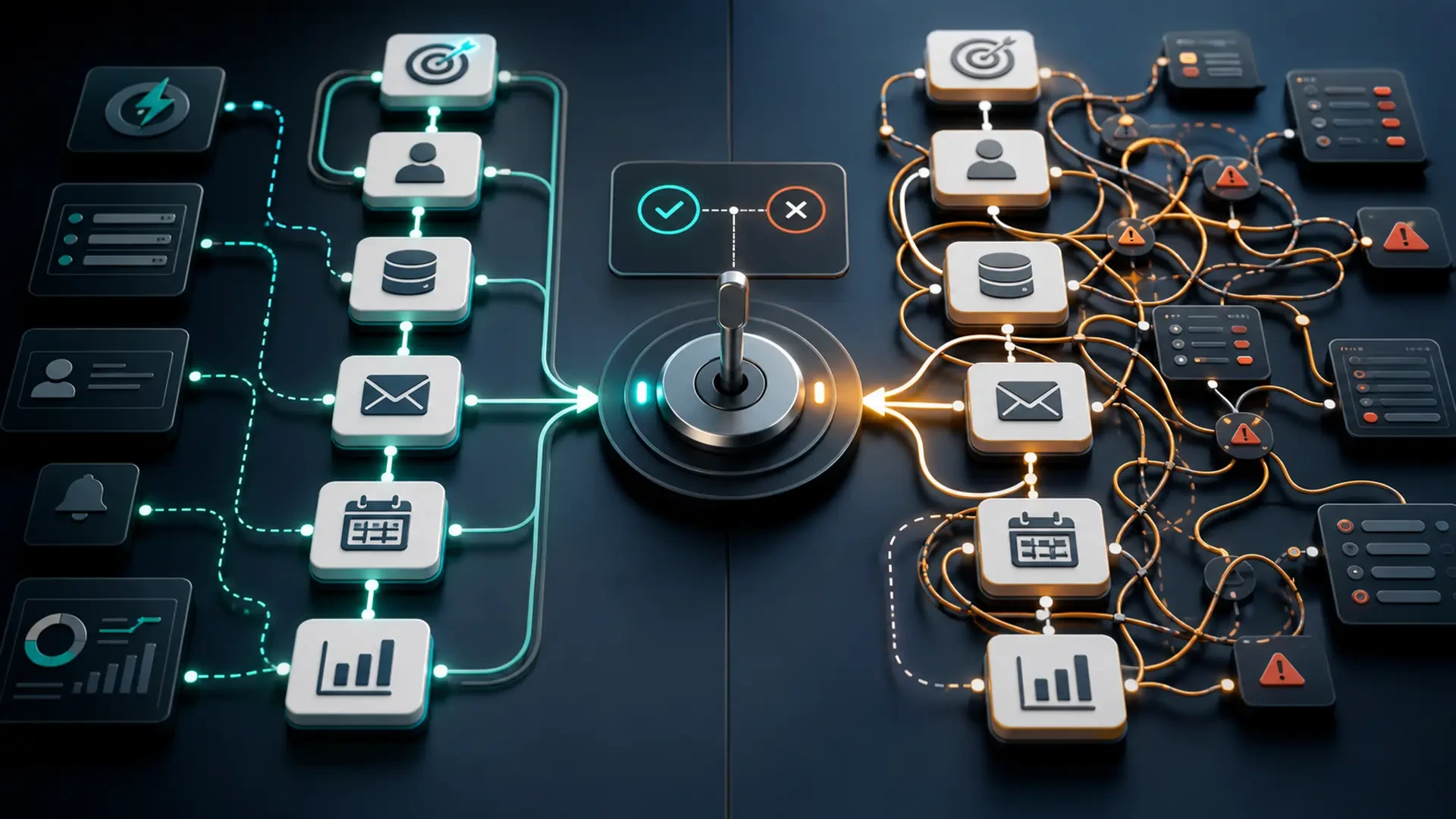
When marketing automation helps and when it adds more complexity
Marketing automation can be useful, but it is not a shortcut around unclear processes.
It can help a business respond faster, route leads, send reminders, update statuses, and make follow-up more consistent. It can also create more confusion if the data is messy, the workflow is undefined, or no one owns the next action.
The question is not “should we automate marketing?”
The better question is: “Which part of the marketing workflow is clear enough to automate?”
What marketing automation can do
Marketing automation uses rules, triggers, and connected tools to support repetitive actions in the marketing and sales process.
It can help with:
Lead capture.
Contact segmentation.
Email sequences.
Follow-up reminders.
Lead assignment.
CRM updates.
Campaign source tracking.
Form confirmations.
Internal notifications.
Reporting workflows.
Automation is most helpful when the business already knows what should happen next.
When marketing automation helps
Automation can support a workflow when the trigger, data, action, and owner are clear.
When leads need faster routing
If leads arrive through forms, ads, landing pages, or social channels, automation can notify the right person or create a record in a CRM.
This helps when:
Lead sources are defined.
Service categories are clear.
Owners are assigned by rule.
The team agrees on response expectations.
When follow-up steps are repetitive
Some follow-up actions happen in the same pattern.
For example:
A lead submits a form.
The system sends a confirmation.
A team member receives a notification.
A task is created.
A reminder appears if there is no response.
Automation can reduce manual coordination when the sequence is predictable.
When campaign source needs to be preserved
Automation can help capture source information from campaigns and pass it into a CRM or reporting system.
This can make it easier to see whether a lead came from a paid campaign, blog article, landing page, or social post.
The goal is not perfect attribution. The goal is to avoid losing useful context.
When reporting requires repeated manual work
If the team builds the same report every week or month, automation may help gather, standardize, or update parts of the information.
This is useful when the data sources and definitions are stable.
When the business needs consistency
Automation can help make sure important steps are not forgotten:
Send confirmation messages.
Notify owners.
Create tasks.
Update statuses.
Trigger reminders.
Record timestamps.
Consistency matters when volume grows or when several people share responsibility.
When automation adds complexity
Automation creates problems when it is added before the workflow is ready.
When the process is unclear
If the team cannot explain what should happen after a lead arrives, automation will not solve the problem.
It may simply move unclear steps faster.
Before automating, define:
Who owns the lead.
What information is required.
What qualifies the request.
What action happens next.
What exceptions require human review.
When data is messy
Automation depends on reliable fields.
If service categories, lead sources, names, statuses, or contact details are inconsistent, automation may route or report information incorrectly.
Clean data does not mean perfect data. It means the fields needed for the workflow are understandable and usable.
When there are too many exceptions
If every request requires special handling, automation may become fragile.
Some workflows need human review first. Automation can still help with notifications or reminders, but the decision logic should not be forced if the process is too variable.
When no one owns the system
Automation needs maintenance.
Someone must know:
Which tools are connected.
Which rules are active.
What happens when a rule fails.
How to update messages.
Where to check errors.
Who approves changes.
Without ownership, automation can become another hidden layer of complexity.
When the business automates before measuring
If the business does not know the current bottleneck, automation may target the wrong step.
For example, automating email follow-up will not help much if the landing page message is unclear or the form does not work well on mobile.
Start by finding the bottleneck.
A practical decision framework
Use these questions before adding marketing automation.
1. What action repeats?
Automation should usually begin with a repeated action, not a vague desire to be more efficient.
Examples:
Assigning a lead.
Sending a confirmation.
Creating a task.
Updating a status.
Sending a reminder.
Recording a source.
2. What starts the automation?
Every automation needs a trigger.
Examples:
Form submitted.
Button clicked.
Lead source received.
Status changed.
Appointment booked.
No response after a set time.
If the trigger is unclear, the automation will be unreliable.
3. What information is required?
The system needs the right fields to act.
Examples:
Name.
Email or phone.
Service category.
Language preference.
Source.
Status.
Owner.
If the automation depends on missing information, it may fail or require manual correction.
4. Who owns the next step?
Automation should support responsibility, not hide it.
Define the person or role that receives the task, reviews the lead, updates the status, or handles exceptions.
5. How will the business know it worked?
Define a simple way to check:
Was the record created?
Was the notification sent?
Was the owner assigned?
Was the task completed?
Did the status update?
Did the report reflect the change?
Automation should be observable.
Examples of useful marketing automation
Lead intake
A form submission creates a CRM record, stores the campaign source, notifies the team, and assigns a lead owner.
Consultation request
A booking request sends confirmation to the contact, creates an internal task, and records the source.
Follow-up reminder
If a lead has not been updated after a defined period, the owner receives a reminder.
Campaign reporting
Form submissions and source fields feed a simple report so the team can compare campaigns and landing pages.
Nurture sequence
A contact who downloads a resource receives a short educational sequence, as long as the messaging and permissions are appropriate.
Start small
The best first automation is usually not the most advanced.
Start with one workflow:
Lead intake.
Consultation requests.
Follow-up reminders.
Campaign source capture.
Basic reporting.
Then document what happens, test it, and improve it.
Small automation that works reliably is more valuable than a large system nobody understands.
Automation should support the system
Marketing automation is most useful when it supports a clear system: message, landing page, form, data, owner, follow-up, and measurement.
It adds complexity when those pieces are unclear.
Exeditec helps businesses evaluate marketing workflows, connected tools, automation opportunities, and custom digital systems before adding more technology.
Explore a custom solution if your team needs to decide where automation can help and where the workflow needs to be clarified first.